
Full migration: what changes when Hook runs your program
What full migration means, which features need it, how Hook support migrates your organization, and what admins and learners notice afterwards.
Full migration means Hook runs every part of your security awareness program itself. Hook sends your phishing simulations and tracks the results, delivers training to your learners, syncs your directory, and builds your reports and Autopilot cycles from that data.
Several features in these guides are available with full migration. When a page says so, this is the page it means.
What Hook runs after migration
Migration covers three parts of your program. Hook support can migrate them together or one at a time, so an organization can be migrated for phishing simulations before training, or the other way around.
- Phishing simulations. Hook places each simulation directly in your employees' inboxes and records opens, clicks, visits to the teaching page, interactions with the email's red flags, and reports.
- Training. Hook emails each learner a link to their assigned course, plays the course in the browser, tracks progress against the due date, and offers a completion certificate.
- Directory sync. Hook connects to Microsoft Entra ID or Google Workspace, syncs the groups you choose, and keeps their members current.
What becomes available
| Feature | Needs |
|---|---|
| The campaign wizard: Audience, Template, Schedule, Review | Phishing simulations |
| Choosing an email delivery method under Settings, then Email delivery | Phishing simulations |
| The Hook Report button for Outlook | Phishing simulations |
| Your organization appearing in an MSP partner's phishing campaign wizard | Phishing simulations |
| Single sign-on for learners | Training |
| Google Workspace directory sync | Directory sync |
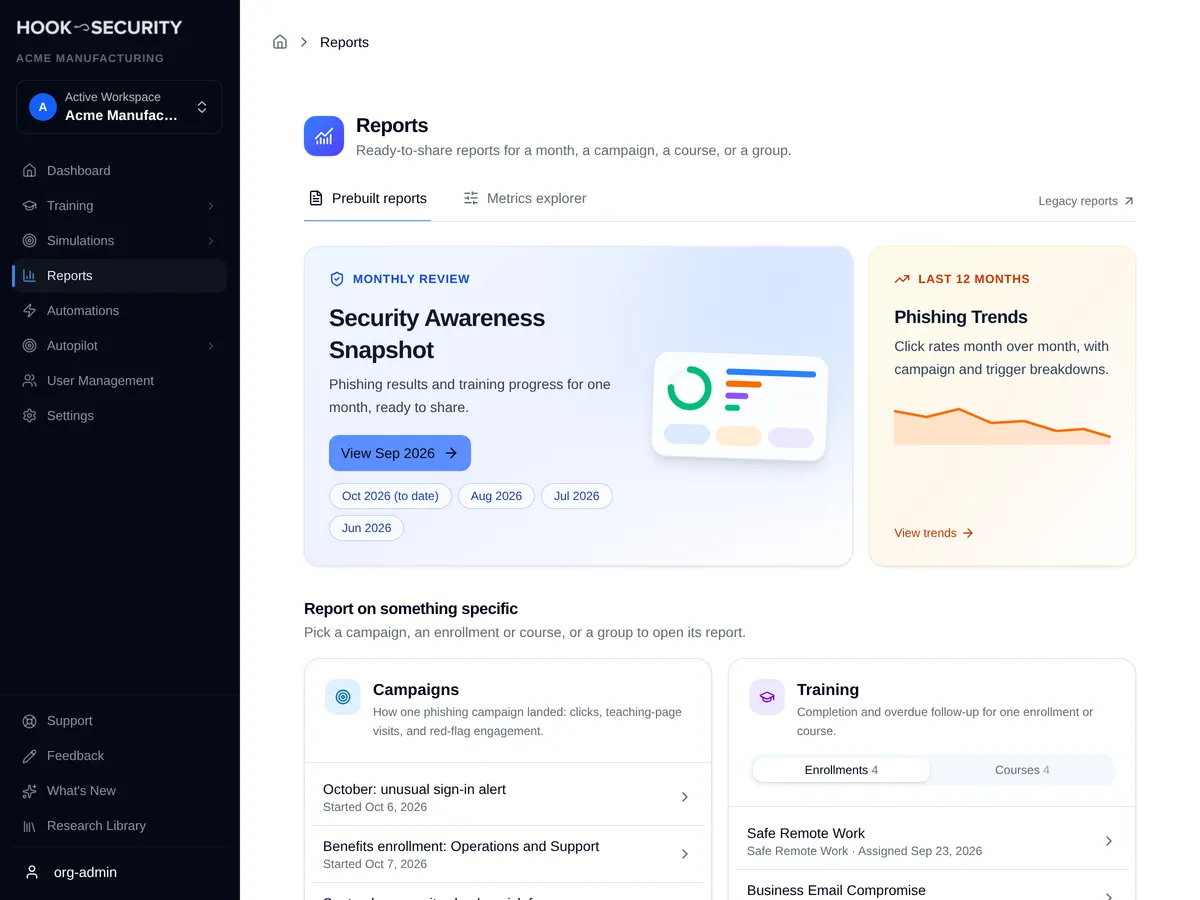
| Prebuilt reports and the Metrics explorer | Phishing simulations, training, or both |
Prebuilt reports cover whichever parts are migrated: campaign reports need migrated simulations, and training reports need migrated training.
How migration happens
Hook support migrates your organization. There's no switch in the portal for you to turn it on, and nothing changes until support has finished. To start, email support@hooksecurity.co with your organization name.
MSP partners ask support to migrate client organizations. Depending on how your MSP account is set up, new clients you add can start fully migrated.
What changes for admins
Email delivery. Before you launch your first campaign, choose how Hook delivers simulations: Microsoft Direct Delivery or Google Direct Send. The review step of the campaign wizard won't launch until a method is set. See Choose an email delivery method.
Campaigns. Simulations lists campaigns sent after migration. Campaigns from before migration are under Past campaigns on the same page.
Reports. Reports opens on the prebuilt reports. Results from before migration are under Legacy reports, a link at the top of the Reports page.
Users. People from your directory, CSV imports, and anyone you add by hand appear under User Management. If your organization had people recorded before migration, a View legacy users button shows them.
Dashboard. The dashboard counts campaigns and training from the migrated parts of your program.
Autopilot. Your Autopilot settings carry over, but your group selections don't. If Autopilot was sending to specific groups, it shows that it needs groups and skips cycles until someone with access picks the groups again, or switches to all users, and saves. Autopilot that was sending to all users keeps running without any change. See Understand and configure Autopilot.
What changes for learners
- Training emails come from Hook Security. The link in each email opens the assigned course directly, with no password to set up.
- Single sign-on is optional. Once training is migrated, you can let learners sign in through your identity provider instead. See Set up single sign-on for learners.
- The Report button recognizes Hook simulations. Once you deploy it, employees who report a simulation get a confirmation, and real suspicious email goes to your security team. See Deploy the Hook Report button.