
Troubleshoot Microsoft Entra directory sync
Clear consent failures, group picker limits, scope change errors, and failed sync runs.
Entra sync problems surface in one of two places: a toast on the Integrations
page when a connect or a save doesn't go through, or a stalled badge in
Synced directories. Everything on this page lives under Settings then
Integrations (/org/settings/integrations), and you need to be signed in
as an org admin with the right organization selected.
If you haven't connected Entra yet, start with Sync users from Microsoft Entra; this page assumes you know that flow. Keep an identity admin who can grant tenant-wide consent within reach, because a few of these need one.
The connect attempt bounced back with an error
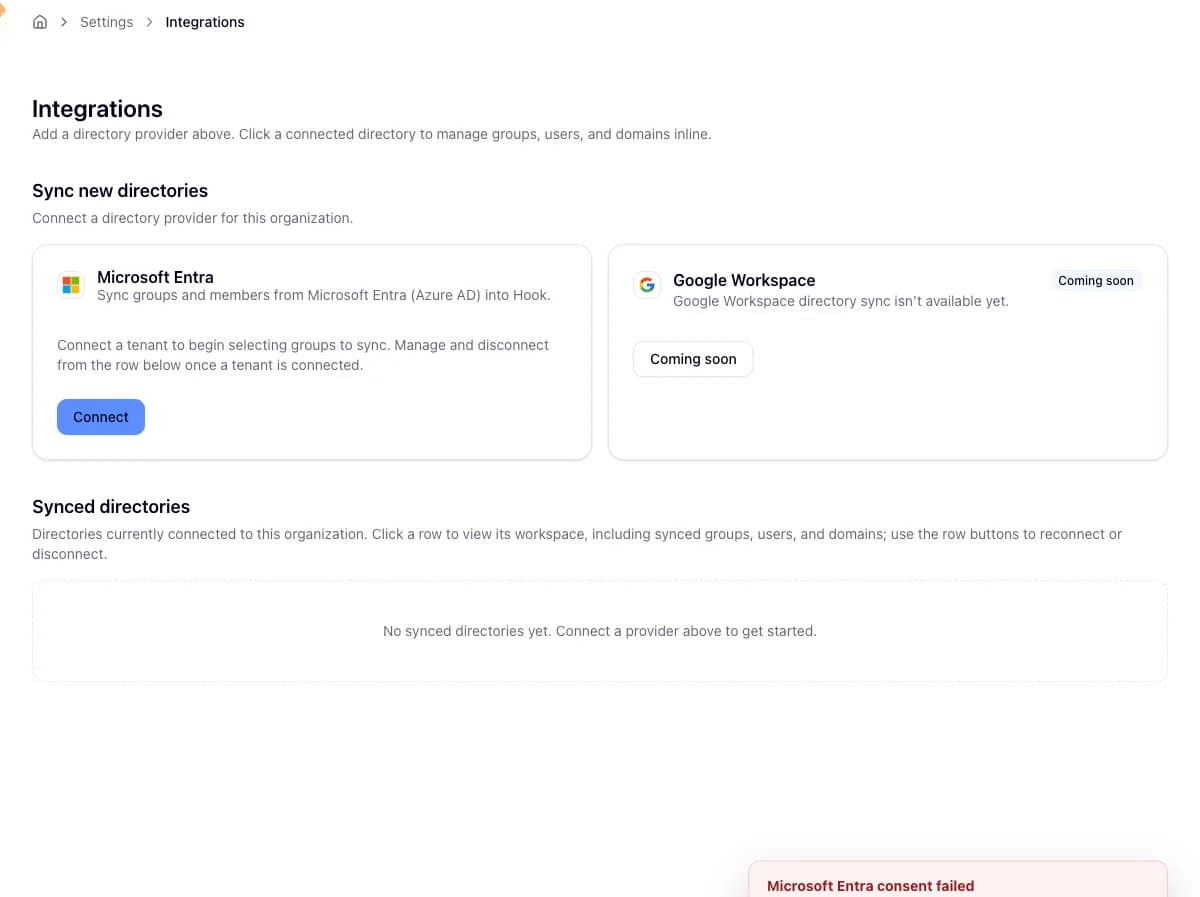
Clicking Connect on the Microsoft Entra tile hands off to Microsoft's admin-consent screen. If the handshake doesn't finish cleanly, you land back on the Integrations page with a toast. Match it here.
| What the toast says | What happened | What to do |
|---|---|---|
| Admin consent was not granted | The Microsoft prompt was cancelled, or the account that approved it couldn't grant consent for the whole tenant. | Connect again, signing in with an account that can approve tenant-wide consent. |
| The connection link was invalid or expired | The handshake link didn't verify, usually because the consent screen sat open too long. | Start over from the tile. The link is good for 10 minutes, so don't leave the Microsoft prompt open past that. |
| The tenant didn't match | Microsoft returned a different tenant than the one Hook started the connect for, or no tenant at all. | Approve consent in the same tenant you intend to sync, then retry. |
| Hook couldn't reach Microsoft | A network problem between Hook and Microsoft. | Wait a moment and click Connect again. |
| Something went wrong | The catch-all for anything else. | Retry. If it keeps failing, contact support. |
The last two clear on a retry more often than not, so only escalate if a clean retry reproduces the same error.
A failed handshake never leaves a half-connected row behind. Hook doesn't mark a tenant Connected on Microsoft's word alone. It first acquires a token against your tenant to confirm the permissions actually landed.
Hook says Entra is already connected
An organization can have one active directory connection at a time. To move to a different tenant, find the connected row in Synced directories, click Disconnect, confirm, then connect the new one. Previously synced groups survive a disconnect, so this is safe.
Reconnect and Retry on an existing row run the same check. If either one tells you a directory is already connected, there's still a second tenant in the way.
The group picker won't show or take the groups you want
Three hard limits are worth knowing before you blame a sync for missing data.
Only the first 1,000 groups load
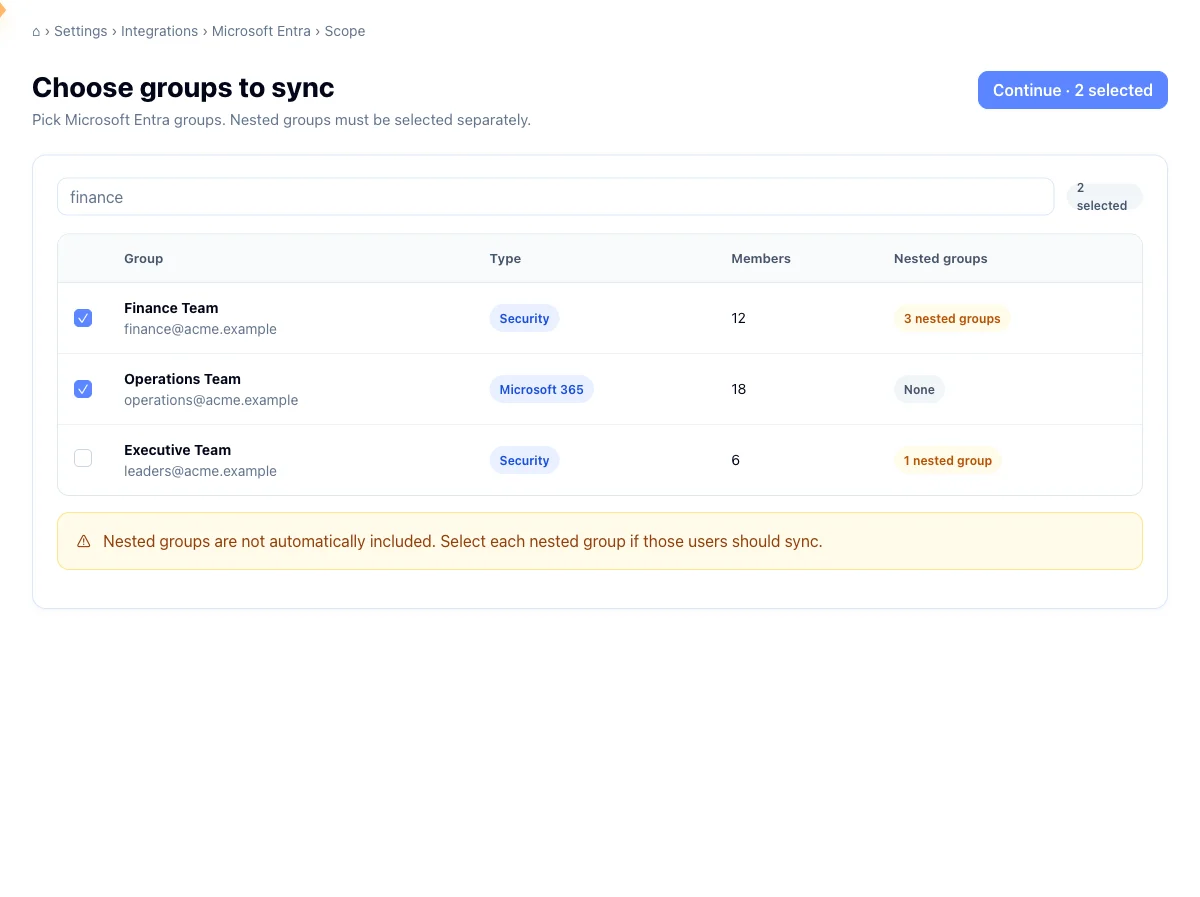
The picker loads up to 1,000 groups from your tenant, and tells you when it hits that ceiling. Search by name, email, or type to narrow what's there, but note that search filters the groups already loaded, so a group past the first 1,000 won't turn up that way.
You can select at most 200 groups
Go over 200 and Hook blocks Continue to preview until you trim the selection. Past 100 you'll also see a note that a large selection takes longer to preview. That one is a heads-up, not a blocker.
Nested groups have to be picked separately
Sync pulls direct members only. When a group contains other groups, the picker badges it with how many nested groups are inside and tells you to select them separately. Their members are not pulled in for you. If you want them, find each nested group in the list and check it too.
Hook says a sync is already in progress
One run per directory connection at a time. Trigger Sync now, or try to commit a scope change, while another run is going and Hook turns it down and names the run that holds the lock. This is expected, not a fault.
Wait for the active run to finish, which the Syncing badge in the workspace pane reflects, then trigger again. The lock covers every kind of run: an initial sync, a delta sync, and a scope change all count.
A scope change won't save
Reopening Manage groups and changing your selection commits a scope resync. That preview is stricter than the first-time one, because removing groups can deactivate people.
Removing a group can deactivate the people it brought in
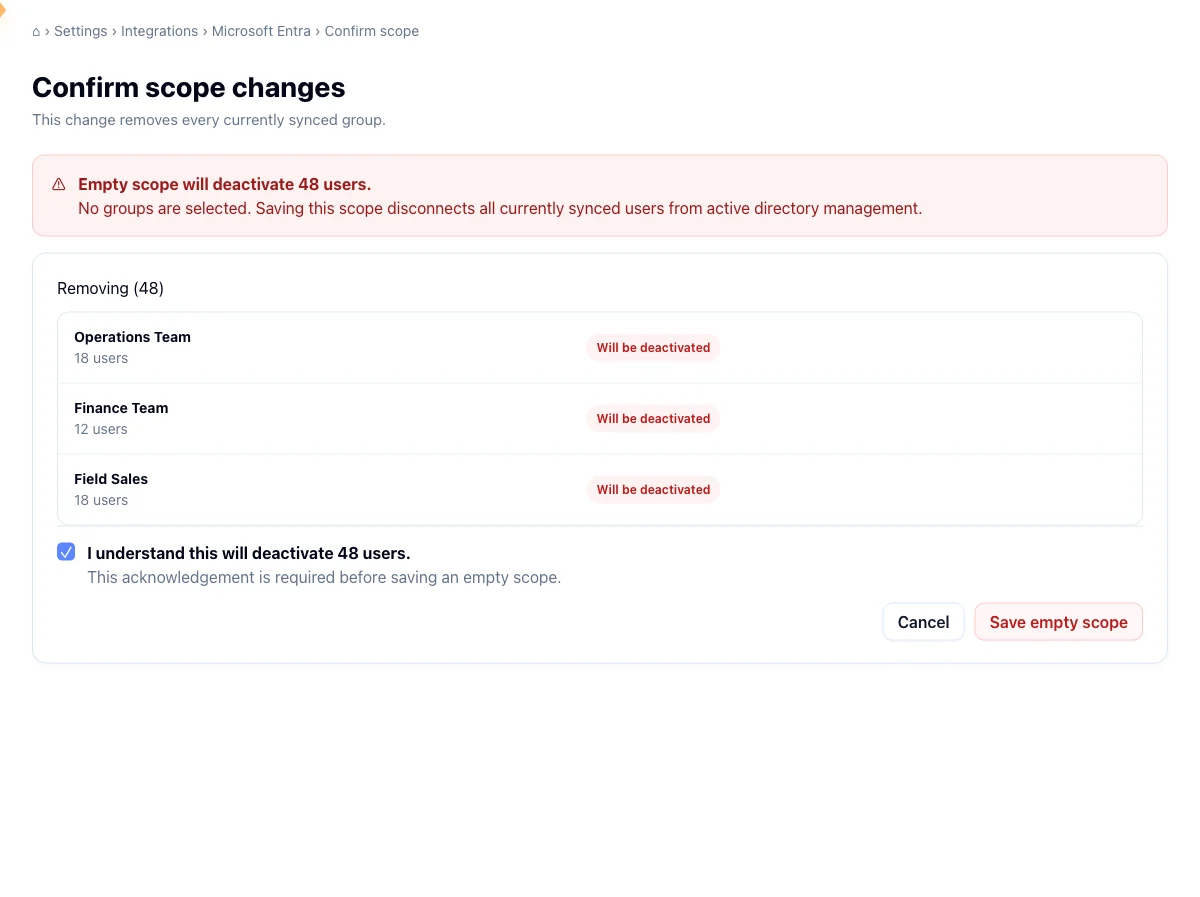
Anyone whose only directory group membership came from a group you removed is marked for deactivation, and the preview names and totals them before you commit. People who also belong to a group you're keeping, or one you're adding in the same change, are untouched. Deactivated users can be restored later by syncing their group again.
Removing every group needs an acknowledgement
If your change leaves zero groups selected, Hook shows a red alert saying this will deactivate every user from the connection, along with a required checkbox that spells out exactly how many people that is. Save scope change stays disabled until you tick it.
A newly added group can't exceed 50,000 members
Each group you add is capped at 50,000 members. If one is larger, the commit fails and Hook names the offending group and its member count. Split the membership in Entra or pick a smaller group, then retry the scope change.
Hook checks that cap against the count Entra reported when the preview loaded, not at the moment you save. A group that crosses 50,000 in between can slip past the check and get caught by the sync run instead.
A sync run failed
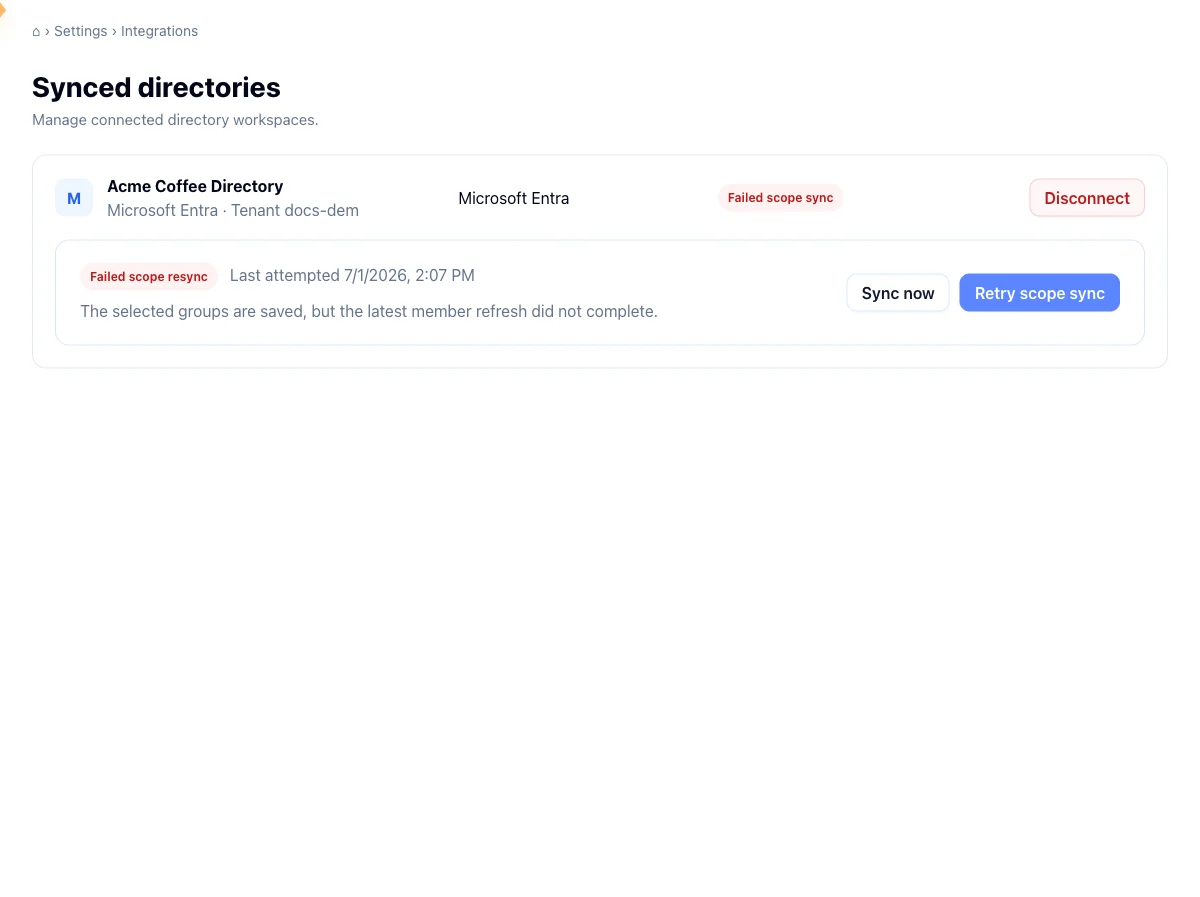
A failed run shows a Sync failed badge in the sync block of the workspace pane. How you recover depends on what failed.
A failed scope change. Sync now won't help, because that button only starts a normal initial or delta sync. Use the Retry scope sync button next to the failed run instead. It appears only while the most recent run is a failed scope resync, and it re-runs the exact group change you committed, so you don't have to redo your selection.
A run that never started. If Hook saved your selection but couldn't hand the job off, the selection is still committed and only the run is missing. For a scope change, click Save scope change again, or use Retry scope sync on the integrations page. For a regular sync, click Sync now again. Your group selection is the source of truth, so a re-run lands on the same result.
Two things that look like bugs and aren't
People appear after the next sync, not instantly. Saving a selection or committing a scope change starts a sync; it doesn't populate users on the spot. Counts in Synced directories and the roster in User Management fill in as the background run finishes.
A missing tenant name is cosmetic. If the connected row shows a generic
provider label instead of your tenant's name, Hook couldn't read the display
name, which needs the Organization.Read.All permission. The connection is
still valid and still syncing. Disconnecting and reconnecting with that
permission granted refreshes the label.
Related
Sync users from Microsoft Entra
The connect, pick, preview, and confirm flow this page troubleshoots.
Manage directory connections
Disconnect, reconnect, and manage the synced directories for your org.
Authorize recipient domains
Approve the email domains your synced users share so campaigns can reach them.