
Read What's New
Browse Hook's in-app changelog of recent product updates and open individual release posts.
What's New is Hook's in-app changelog, a running list of product updates written by the Hook team. There's nothing to configure and no settings to get wrong.
Open What's New
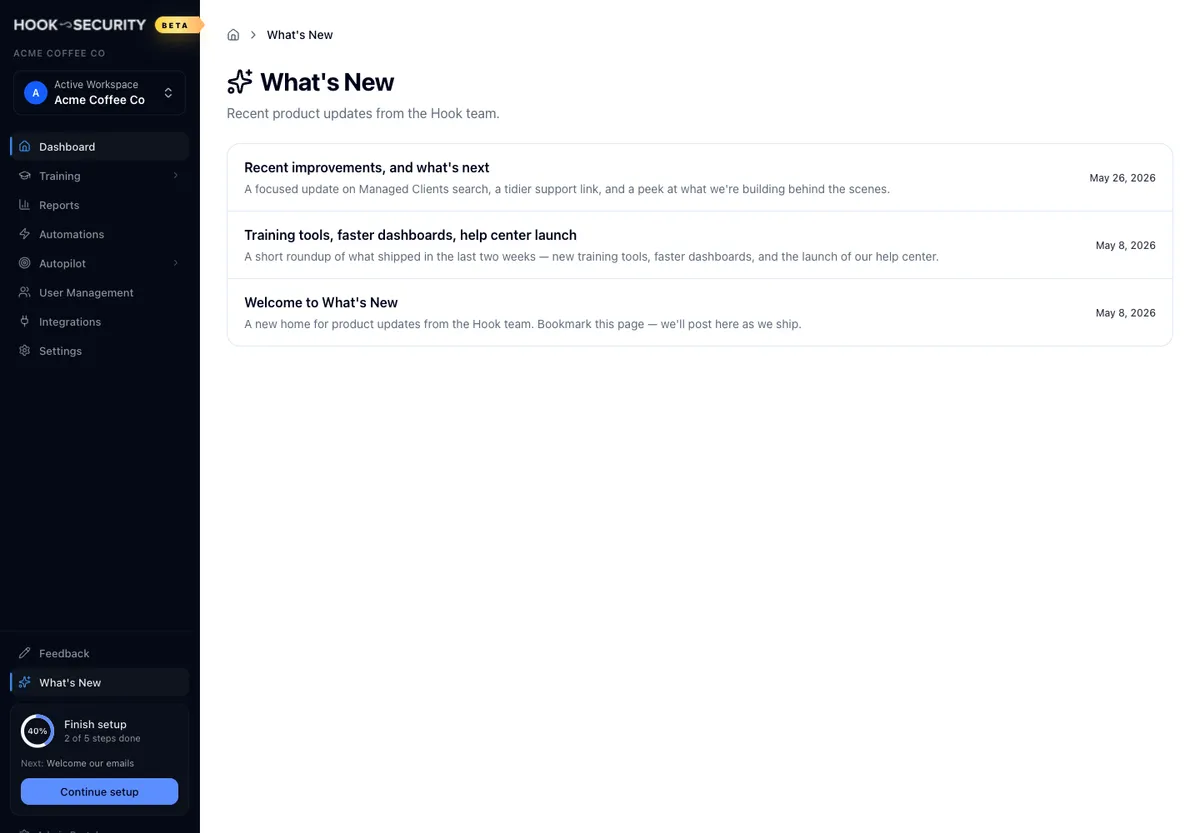
Look near the bottom of the org sidebar, below the main navigation, for the
What's New entry with a sparkles icon. Click it to open the list at
/org/whats-new.
Read the list of updates
Every published post appears as a row with its title, a one or two line preview of what it covers, and the date the Hook team published it. The newest post is at the top, and if two share a date, the more recently added one wins.
Before the Hook team has published anything, the page tells you updates are on the way instead of showing a list. That's the expected empty state, not a broken page.
Read a single post
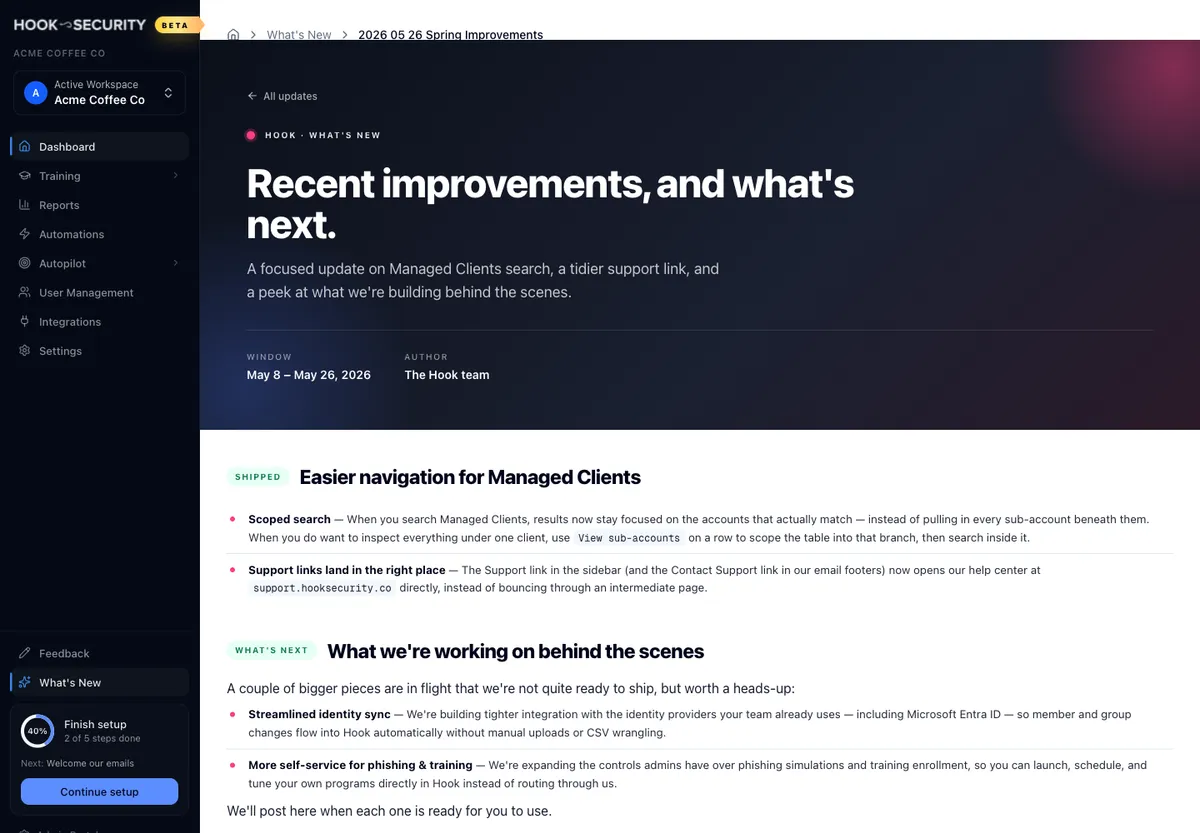
Click a row to open the full post at its own URL. You get the release headline, a short lead-in, the write-up itself, and a few details such as the author and the period the update covers. The listing title and the headline on the post are sometimes worded a little differently, so don't be thrown if they don't match exactly.
Posts are short and plain-language by design: new features, improvements, and changes worth knowing about. Every post stays on the page after it's published.
An All updates link with a back arrow sits at the top of every post and returns you to the list. Your browser's back button works just as well.
What you can and can't do here
What's New is deliberately simple, and knowing its edges saves you hunting for controls that don't exist. It's read-only: you can browse and read, but there's nothing to create, edit, comment on, or react to. Every post is written and published by Hook, so this isn't a place for your own internal announcements. There's no search box, tag filter, or date range either, so scroll the list to find an older update. And nothing notifies you when a post lands.
If you can't find What's New
Depending on how your account is set up, the sidebar entry may not be there. When it isn't, the pages aren't reachable directly either, and going straight to the URL returns a not-found page. That's a rollout question rather than something you can switch on yourself, so ask your Hook contact if you think it should be available to you.
A URL whose post no longer matches anything published also returns not found, which usually just means a stale link.